État de développement
Stable
Sites actifs
Développé par
Create your own tokens with SearchKit.
For example, to create a tokens "Total Member Dues for a Contact":
- Create a SearchKit (Search menu » SearchKit). The entity should match the search type you intend to use - e.g. "Contacts" for Advanced Search, "Contribution" for Find Contributions, etc.
- Add any columns you'd like to use as tokens. Feel free to use field transformations, grouping, etc.
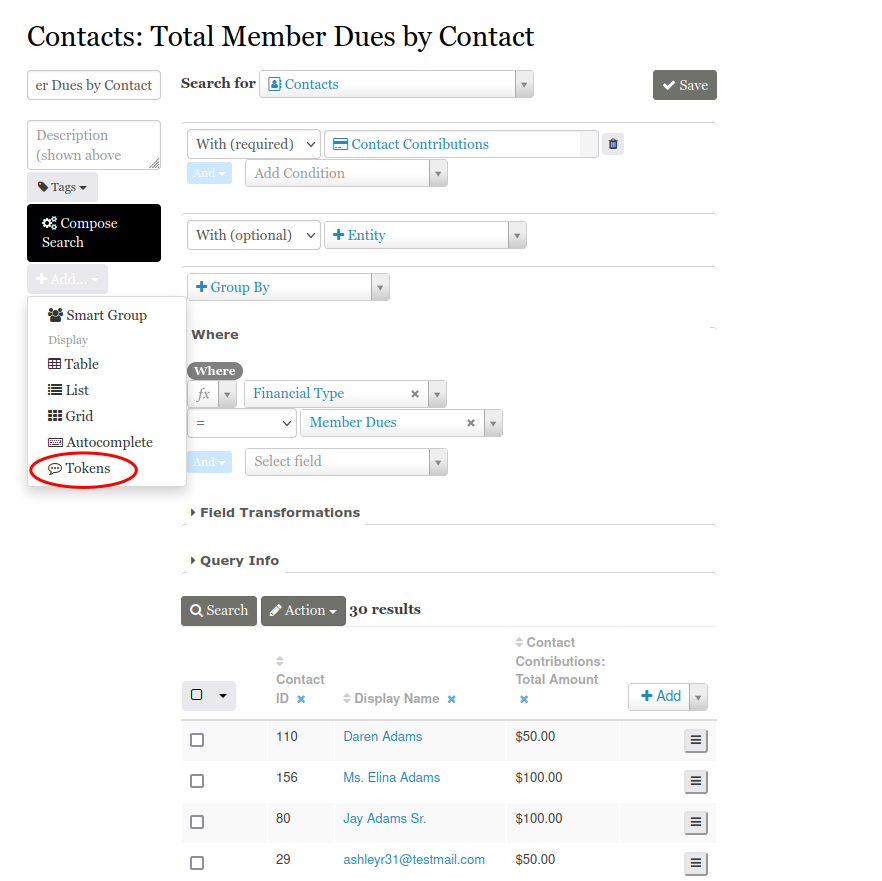
- Create a new display of type "Tokens" (see screenshot 1).
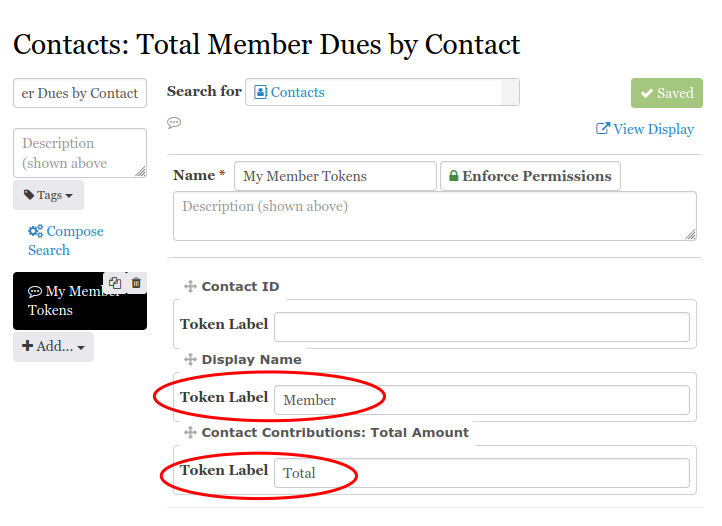
- Place a label you'd like to see in your token browser under each field you'd like to use as a token (see screenshot 2).
- Optionally, tick the "Rewrite Text" checkbox. This works identically to other search displays' rewrite option.
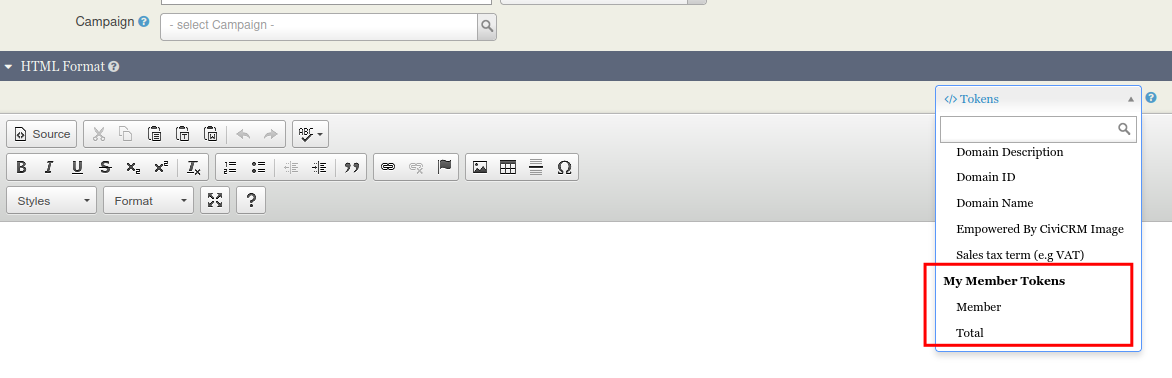
- When performing an action that uses tokens - emails, letters, receipts and more - select the token from the browser.
Now, when creating a new email/letter, the tokens should appear in your token browser under a category matching your display name (see screenshot 3).
Saisie d'écran (cliquer pour agrandir)