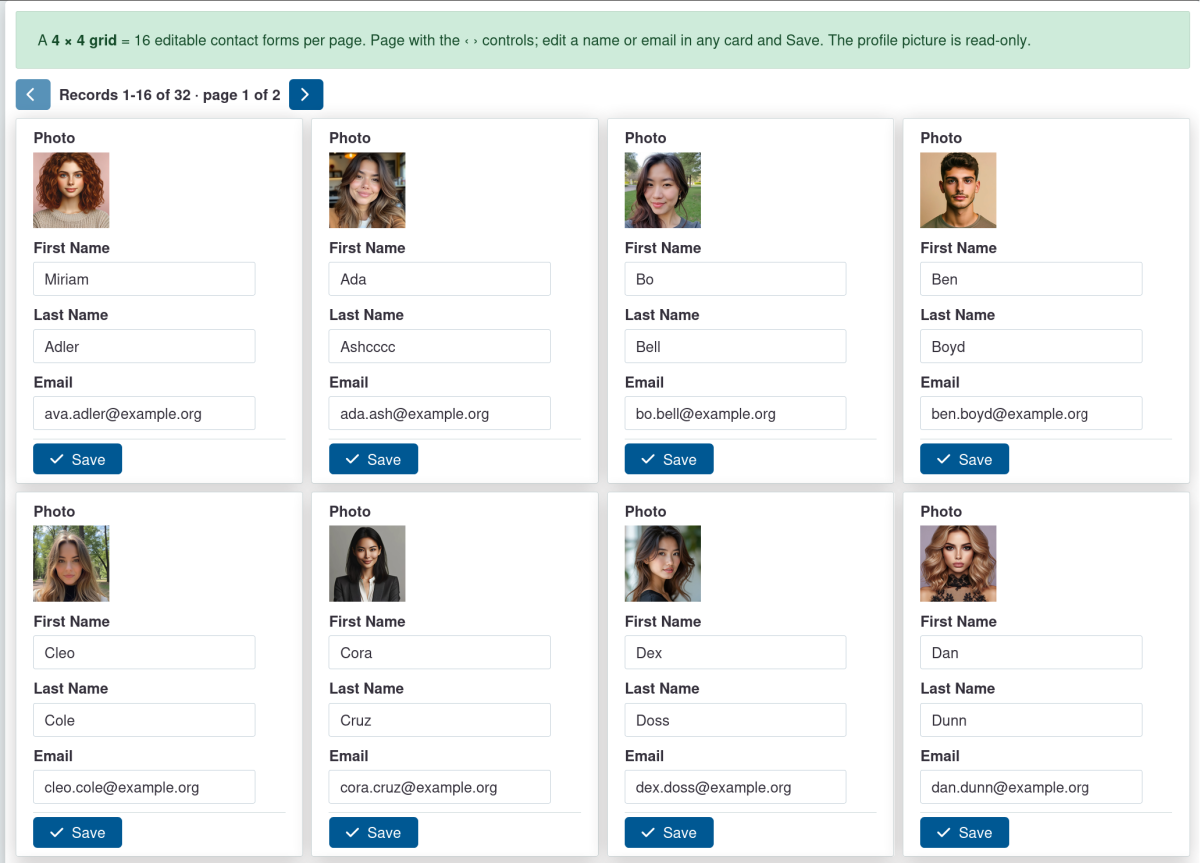
SearchKit Form adds a Form display type to CiviCRM SearchKit. Instead of a table or a grid of cards, the results of a search are shown as editable forms — one record per page by default, or several at once in a configurable grid: you page prev / next through the whole filtered, sorted set — with an N / total position indicator — and edit each record's fields inline, saving through CiviCRM's APIv4. It is an "open a list, then browse the records in a form" workflow, built entirely on core SearchKit.
It reuses SearchKit's own editing machinery — the inline-edit widgets and the ACL-checked
SearchDisplay.inlineEdit save action — so every field permission, entity ACL and validation rule
applies exactly as it does anywhere else in CiviCRM. The extension adds no server-side save code.

Features
- A Form display type in the SearchKit display editor, alongside Table, List and Grid.
- Renders the current record as a vertical form; the fields are the search's columns.
- Editable or display-only per field — tick In-Place Edit on the fields that should be editable; the rest render read-only. Saving goes through SearchKit's ACL-checked inline-edit action.
- Section headings — group fields under optional headings for a structured form.
- Record pager — prev / next step through the whole filtered, sorted result set, with a
configurable position indicator (
N / total,Record N of total, or hidden). - Grid of forms — optionally show several editable forms per page in a responsive
rows × colsgrid (default1 × 1= a single form); the pager then steps a whole page at a time. Each form on the page keeps its own edits and saves independently, and a page-level guard warns if any is unsaved. - Unsaved-changes guard — paging away from an edited record prompts Save / Discard / Cancel, so edits are never lost silently; validation errors are shown inline and keep you on the record.
- Open on a chosen record ("enter from a search") — a companion display (e.g. a table) can hand off to the form positioned on the clicked record, then page over the same set.
- Theme-native styling — every colour, border, radius and spacing value comes from the active
CiviCRM theme (RiverLea
--crm-*custom properties) with safe fallbacks, so the form follows the current stream and dark mode automatically. No hardcoded colours.